


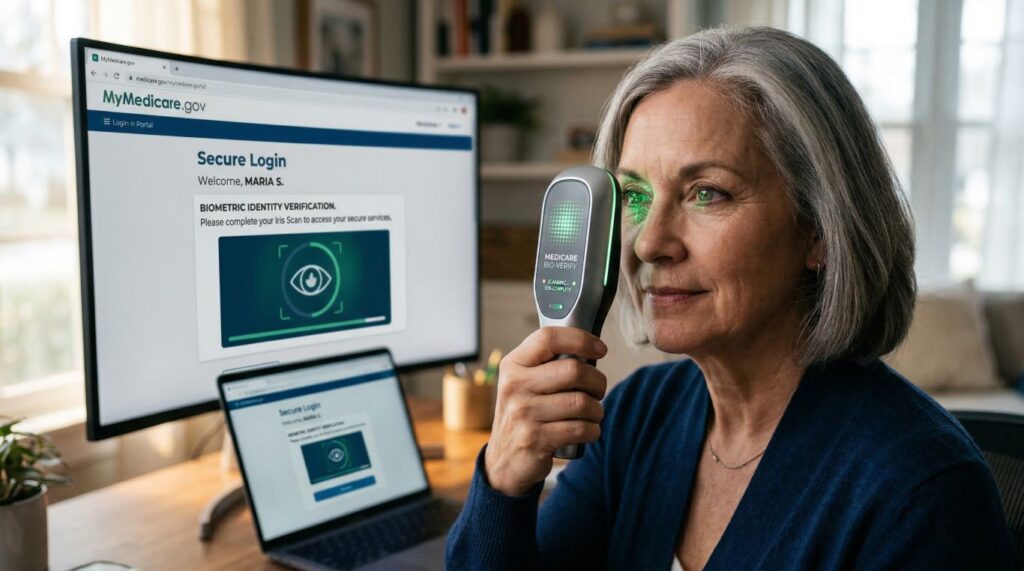
| 📋 Article At A Glance: Biometric Verification Tools for Medicare | |
|---|---|
| ✅ What changed | Medicare.gov now supports Login.gov, ID.me, and CLEAR as identity verification options for new account holders |
| ✅ Adoption rate | 60% of new Medicare.gov accounts created since the rollout are using one of these modern biometric credentials |
| ✅ Pre-verified users | 90% of new account holders had already completed identity verification through another service before arriving at Medicare.gov |
| 🔍 Open loop | Your existing Medicare.gov login still works for now — but there is a key reason why switching sooner protects you better |
| 🛡️ Why it matters | Biometric verification blocks the most common methods used to hijack Medicare accounts and steal benefits |
Medicare.gov just made it significantly harder for fraudsters to steal your benefits — and most people have no idea it happened.
In early 2026, the Centers for Medicare and Medicaid Services (CMS) quietly rolled out three new identity credential options on Medicare.gov. New users can now authenticate using biometrics alone through Login.gov, ID.me, and CLEAR. This is one of the most important security upgrades the federal health insurance portal has ever made, especially for seniors who are disproportionately targeted by identity thieves. Understanding how these tools work — and which one is right for you — is exactly what this guide is here to help with.
60% of New Medicare.gov Accounts Now Use Biometric Login
The numbers tell a clear story. Since CMS launched these new credential options, the adoption rate among new account holders has been striking. Early data shows that 60% of new Medicare.gov accounts created since the rollout have used one of these modern credentials. That is not a small test group quietly piloting a feature — that is the majority of new users actively choosing biometric login over traditional username and password access.
What Changed on Medicare.gov and When
The change was confirmed in March 2026 by Amy Gleason, acting administrator of the U.S. DOGE Service and strategic advisor to CMS, who announced that Medicare patients can now use Login.gov, ID.me, or CLEAR to access their accounts. Before this update, Medicare.gov relied on older credential systems that required manual entry of passwords and security questions — methods that are increasingly vulnerable to phishing attacks and data breaches. The new system replaces that friction-heavy process with identity verification that uses your face, your government-issued ID, or both.
The Three New Login Options Available Now
Each of the three platforms takes a slightly different approach to verifying who you are, but all three meet federal identity assurance standards. Here is a quick breakdown before we go deeper:
- Login.gov — The U.S. government’s own secure sign-in service, designed for accessing federal websites and benefits
- ID.me — A private-sector identity platform that uses facial recognition and document scanning, already used by the VA and the IRS
- CLEAR — The biometric identity company best known for airport security lanes, now supporting Medicare account creation and recovery through its CLEAR1 secure identity platform
Why This Matters for Medicare Beneficiaries
Medicare fraud is not abstract. Criminals target Medicare beneficiaries specifically because the program processes enormous volumes of claims, and a compromised account can be used to bill for services never received, redirect benefit payments, or steal personal health data. Seniors are among the most targeted demographics for identity theft, and traditional password-based logins offer very little real protection once a password is stolen or guessed.
Biometric verification changes the equation entirely. Unlike a password, your face cannot be phished. Unlike a security question, your biometric data cannot be guessed from your social media profile. These tools add a layer of protection that is genuinely difficult to bypass without physical access to you personally.
The Three Biometric Credential Options on Medicare.gov
Choosing the right credential comes down to what devices you already use, what ID documents you have on hand, and how comfortable you are with each platform. All three options are free to create an account with, and all three are accepted at Medicare.gov as of early 2026.
Login.gov: The Federal Government’s Own Identity Service
Login.gov is the official identity platform built and operated by the U.S. government specifically for accessing federal services. It uses a combination of document verification and facial matching to confirm your identity during initial setup. Once verified, you use a secure login with multi-factor authentication to access Medicare.gov. Because it is government-operated, your data stays within federal infrastructure — a detail that matters to many seniors who are cautious about sharing biometric information with private companies.
ID.me: The Private-Sector Facial Recognition Platform
ID.me has been in the federal identity space for years, already serving veterans through the VA and taxpayers through the IRS. The platform works by scanning a government-issued ID and then using facial recognition to match your live selfie to the photo on that document. The process takes just a few minutes on a smartphone or computer with a webcam.
One important thing to understand about ID.me is its reuse advantage. If you have already verified your identity through ID.me for another federal service like the VA or IRS, that verification carries over. You do not start from scratch at Medicare.gov. This is actually a key reason why CMS reported that 90% of new Medicare.gov account holders had already completed identity verification through another service before ever arriving at the portal — many of them were already ID.me users.
ID.me also offers an in-person verification option through its network of trusted referees for users who cannot complete the process online, making it more accessible than it might first appear.
- Accepts driver’s licenses, passports, and state-issued IDs
- Facial recognition matches your selfie to your document photo in real time
- Verification transfers automatically to other connected federal platforms
- In-person verification available for those who need assistance
CLEAR: The Biometric Identity Company Now Supporting Medicare
CLEAR is best known for its biometric lanes at airports, but its technology now reaches well beyond travel. In December 2025, CLEAR announced its agreement with CMS, confirming that its CLEAR1 secure identity platform would support account creation, account recovery, and access to Medicare.gov. CLEAR1 uses biometric data — primarily facial recognition — paired with government-issued ID documents to verify your identity quickly and securely. For seniors who already have a CLEAR membership from airport use, this means your existing biometric profile can work directly for Medicare account access without any additional setup.
You Do Not Need a Smartphone or Driver’s License to Use These Tools
This is one of the most common concerns seniors raise, and it is worth addressing directly. None of the three platforms — Login.gov, ID.me, or CLEAR — require a smartphone as the only path to verification. All three can be accessed through a standard desktop or laptop computer with a built-in or external webcam. The facial recognition step that feels intimidating to many first-time users is simply a live photo taken through your camera — no app download required for the basic verification process.
The driver’s license concern is equally understandable. Many seniors no longer drive, or may have a state ID rather than a driver’s license. The good news is that all three platforms accept a range of government-issued documents, not just driver’s licenses. A U.S. passport, passport card, or state-issued non-driver ID card all qualify. The key requirement is that the document must have your photo on it and must be government-issued.
How to Verify Your Identity Without a Smartphone
Desktop Verification Path — Step by Step
- Go to Medicare.gov and select your preferred credential option (Login.gov, ID.me, or CLEAR)
- Create a free account using your email address and a secure password
- When prompted for identity verification, choose the computer/webcam option rather than the mobile option
- Have your government-issued photo ID ready — you will be asked to hold it up to the webcam or upload a photo of it
- Complete the live facial recognition step by looking directly into your webcam when prompted
- Wait for confirmation — most verifications complete within two to five minutes
- Once verified, you are directed back to Medicare.gov and your account is active
If your computer’s webcam produces a blurry image, the verification system may flag it and ask you to retry. Good lighting makes a significant difference — sit facing a window or a lamp rather than having light behind you. This single adjustment resolves the majority of failed verification attempts on desktop devices.
ID.me specifically offers an additional fallback option worth knowing about. If you are unable to complete verification online at all, you can request a video call with a live ID.me trusted referee who will walk you through the process in real time. This human-assisted path exists precisely for users who run into technology barriers, and it counts as full identity verification just like the automated process.
CLEAR also has physical locations in many major cities, primarily in airports and stadiums, where staff can assist with in-person biometric enrollment. If you live near one of these locations and prefer face-to-face assistance, that is a legitimate and fully supported path to completing your CLEAR identity verification for Medicare.gov access.
Accepted ID Documents for Medicare.gov Verification
The document requirements are consistent across all three platforms because they all follow the same federal identity assurance standards set by the National Institute of Standards and Technology (NIST). Any government-issued photo ID that is current and not expired will generally be accepted. The most commonly used documents include a U.S. driver’s license, U.S. passport or passport card, state-issued non-driver ID card, and U.S. military ID.
Foreign passports and tribal IDs may be accepted depending on the platform, but acceptance is not guaranteed across all three. If you are unsure whether your specific document qualifies, Login.gov publishes a complete list of accepted identity documents on its help pages, and ID.me has a support chat function where you can ask before starting the process. Starting your verification without confirming your document is accepted is the single most common reason the process stalls for first-time users.
What These Tools Actually Do to Protect Your Medicare Account
Biometric verification is not just a convenience upgrade — it is a structural change in how your identity is confirmed before anyone can access your Medicare benefits information. The traditional username-and-password model has a fundamental weakness: the credentials exist as stored data that can be stolen, guessed, or bought on the dark web. Biometric verification moves the authentication factor from something you know to something you are, which is exponentially harder to replicate or steal remotely.
How Biometric Verification Stops Unauthorized Account Access
When someone attempts to access your Medicare account using stolen login credentials under the old system, the system has no way to confirm that the person typing the password is actually you. Biometric verification closes that gap entirely. A stolen password combined with your email address is useless if the system also requires a live facial scan that matches your verified identity profile. This means that even if your email and password were exposed in a data breach, an attacker still cannot get into your Medicare account without physically impersonating you in front of a camera — a barrier that eliminates the overwhelming majority of automated and remote fraud attempts.
Why 90% of New Users Were Already Verified Before Arriving at Medicare.gov
The statistic that 90% of new Medicare.gov account holders had already completed identity verification through another service before arriving at the portal is not just an interesting data point — it reveals how the broader federal identity ecosystem is maturing. Because Login.gov and ID.me are already used across dozens of federal agencies including the VA, the IRS, and the Social Security Administration, millions of Americans have already built verified digital identities through those platforms. When CMS added these credentials to Medicare.gov, it effectively plugged into an existing network of pre-verified users. For those individuals, signing up for Medicare.gov access became a matter of minutes rather than a lengthy new verification process — which is precisely the kind of friction reduction that encourages older adults to engage with their benefits online rather than avoid the process entirely.
Your Existing Medicare.gov Login Still Works for Now
If you already have a Medicare.gov account and have been logging in with your old credentials, nothing changes for you immediately. CMS has confirmed that existing login methods remain active while the new biometric credential system runs alongside them. However, the direction is clear — the federal government is moving toward modern identity verification as the standard, and switching to one of the three new options sooner rather than later gives you stronger account protection starting today, not after a forced migration deadline.
Frequently Asked Questions
As biometric verification becomes the new standard on Medicare.gov, seniors and their caregivers are understandably asking practical questions about cost, privacy, and what happens if the technology does not cooperate. The answers below are based on confirmed information from CMS and the three credential platforms.
The most important thing to understand upfront is that biometric verification for Medicare.gov access is not a separate program you need to enroll in — it is simply a new way to prove who you are when creating or accessing your account. You are not giving Medicare more personal data than it already has. You are giving a trusted identity provider the ability to confirm that you are who you say you are before Medicare shares your benefits information with you.
These tools were built with accessibility in mind. CMS and its credential partners have invested significantly in making sure that seniors who are less comfortable with technology can still complete verification through assisted paths, in-person options, and human support channels. No one should feel locked out of their Medicare account because of these changes.
- All three platforms — Login.gov, ID.me, and CLEAR — offer free basic identity verification for government service access
- Existing Medicare.gov account holders are not required to re-verify immediately
- Biometric data collected during verification is held by the credential provider, not by CMS directly
- In-person and human-assisted verification paths are available through all three platforms
- Identity verified through one federal platform typically transfers to other connected federal services
Is there a cost to use Login.gov, ID.me, or CLEAR for Medicare.gov?
Creating a verified identity account through Login.gov is completely free. ID.me is also free for identity verification tied to government services — the company charges for premium features unrelated to federal access, but verifying your identity to use Medicare.gov costs nothing. CLEAR offers free identity verification for government service access as part of its agreement with CMS, separate from its paid airport membership program. You do not need a paid CLEAR subscription to use CLEAR1 for Medicare.gov.
Can I still use my old Medicare.gov username and password?
Yes, for now. CMS has not announced a hard cutoff date for legacy login credentials, and existing account holders are not being forced to switch immediately. That said, the old username-and-password system offers significantly weaker protection than the new biometric credential options. If your account holds sensitive benefits information — and it does — upgrading to one of the modern credential options is strongly recommended even while the old login still technically functions.
What biometric data does Medicare.gov collect when I verify my identity?
Medicare.gov itself does not collect or store your biometric data. The facial recognition and document scanning happen entirely within the platform you choose — Login.gov, ID.me, or CLEAR — and CMS receives only a confirmation that your identity has been verified, not the underlying biometric data itself. This is an important distinction that many seniors miss when they first hear about these tools.
Each platform has its own privacy policy governing how biometric data is stored, used, and deleted. Login.gov, as a government-operated service, is bound by federal privacy law including the Privacy Act of 1974. ID.me and CLEAR are private companies subject to their own data retention policies and applicable state biometric privacy laws. If you have specific concerns about how long your facial scan is retained, reviewing the individual platform’s privacy policy before completing verification is the right move.
Platform Who Operates It Biometric Data Held By Federal Privacy Law Applies Login.gov U.S. Federal Government Login.gov (federal infrastructure) ✅ Yes — Privacy Act of 1974 ID.me ID.me, Inc. (private) ID.me per their privacy policy ⚠️ State laws vary CLEAR CLEAR Secure, Inc. (private) CLEAR per their privacy policy ⚠️ State laws vary CMS receives only a verification confirmation — not your biometric data itself.
If keeping your biometric data within federal infrastructure is a priority for you, Login.gov is the most straightforward choice. It is the only one of the three platforms operated directly by the U.S. government, which means your facial scan and ID document data never leave federal systems.
What if I cannot complete identity verification online?
All three platforms have built alternative paths specifically for users who run into barriers with online verification. ID.me offers live video calls with trained trusted referees who walk you through the process in real time — this is a fully supported option, not a workaround. CLEAR has physical locations in airports, stadiums, and other venues across the country where staff can assist with in-person biometric enrollment. Login.gov is expanding its in-person verification options through the U.S. Postal Service network, which has locations in nearly every community in the country.
If you have a family member, caregiver, or trusted friend who can sit with you during the online process, that is also a practical option. Having someone guide you through the webcam and document scanning steps live reduces the intimidation factor significantly. The process itself takes less than ten minutes once you have your ID document ready and are sitting in good lighting. Most people who feel uncertain about the technology find it far simpler than expected once they actually start.
Which accepted documents can I use if I do not have a REAL ID or driver’s license?
A REAL ID-compliant driver’s license is commonly mentioned in identity verification discussions, but it is not the only document that qualifies. All three platforms accept a broader range of government-issued photo identification than most people realize. The key criteria are that the document must be government-issued, include your photograph, and not be expired.
Commonly accepted alternatives to a driver’s license include a U.S. passport, a U.S. passport card, a state-issued non-driver photo ID card, and a U.S. military ID. Some platforms also accept a permanent resident card or a foreign passport depending on the specific verification context, though acceptance of these documents varies by platform and use case. If you are a senior who surrendered your driver’s license years ago, a standard state-issued non-driver ID card from your local DMV costs very little to obtain and is accepted across all three credential platforms for Medicare.gov verification.
The single most common reason identity verification fails for first-time users is document-related — either the document is expired, the photo on the document is too old to match the live facial scan, or the document is not on the accepted list for that specific platform. Checking your document’s expiration date and confirming it is on the accepted list before you begin the verification process eliminates the most frustrating failure points entirely. Taking two minutes to confirm document eligibility upfront saves the aggravation of a failed attempt and having to restart the process.
Protecting your Medicare account has never been more straightforward — the team at IDTechWire covers the latest developments in identity verification technology to help seniors and their families stay informed and stay secure in an increasingly digital benefits landscape.